Updated
If you need to generate an activation code, The activation code itself is generated on screen. Scroll up to My Marquee TV and you’ll see the screen on the attached photo.
Step 1: Select "Activate Device". This will generate a six-digit code.
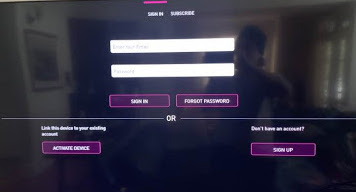
Step 2: Go to https://marquee.tv/activate and enter the code. If you are not logged into thewebsite, you will be prompted to do so.
The app will activate within a few seconds.
Alternatively, you can also simply restore purchase. Under My Marquee TV, go to View Plans, and select “Restore Purchase”, which is under the “Subscribe Now” button.